|
Our Other Products |
 |
| |
Password Recovery Software
Database Converter
Useful Tools
|
|
 |
|
 |
Software PAD url
|
 |
|
 |
| |
 |
Bulk Text Messaging Software – Professional |
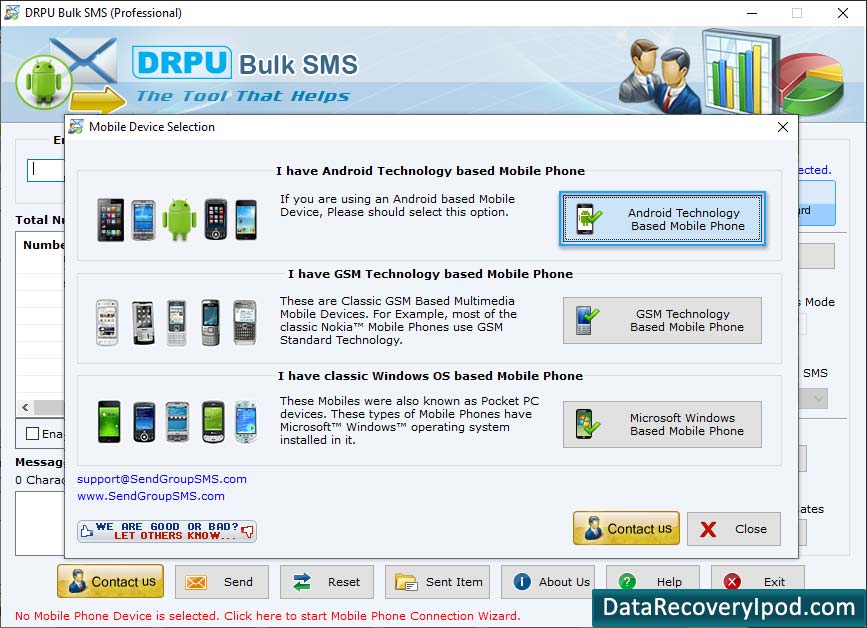
Advance Text Messaging Software sends large number of sms to individual or a group from computer system to other mobile phone devices via using GSM and Windows based handsets. Bulk Messaging Software supports sending National or International sms on all major Mobile Phone Networks from your PC to group of mobile phones using Microsoft Windows OS based Pocket PC, PDA, Smart phones devices.
Affordable Bulk SMS software is computer based application where user can load contact numbers manually or import from Phone Book memory of your Mobile Phone. Easy to use SMS Messaging Tool sends text messages including bulk sms for any contest, price alerts, account info, invoice details, stock updates, meeting schedules in the easiest way.
Features of Bulk Text Messaging Software
- Send SMS to single or multiple phone numbers in a short time span.
- Supports all major Microsoft Windows OS based Pocket PC, Smart phones or other mobile phones.
- Capable to send sms at all National or International Mobile phone networks.
- Delayed delivery option to minimize the load of sending SMS.
- Save sent sms details at specified location on the computer system.
- No hidden cost, setup fees or any installation charges.
- Easy, safe, non-destructive and read only utility with user friendly GUI interface.
Supported Microsoft Windows Operating System
- Windows Desktop editions: Windows 7, Windows Vista, Windows XP,
- Windows Server editions: Windows Server 2010/ 2008/ 2003 etc.
System Requirements
- Pentium class or higher processor
- 256 MB RAM (recommended)
- 8 MB of free hard disk space for installation
Note (When using Microsoft Windows based Mobile Phones):
Synchronizing your phone with your PC is the best way to transfer information, settings, and files. Synchronization is handled with different applications for Windows XP, Windows Vista and Windows 7 or higher operating systems. So please check which operating system your PC is running and choose the appropriate option listed below.
- If computer system is running on Windows Vista, Windows 7 or higher operating systems then synchronization settings will be managed through Windows Mobile Device Center.
- If computer system is running on Windows XP or earlier then synchronization settings will be managed through Microsoft ActiveSync.
|
|
 |
|
 |
 |
|
 |
| |
 |
Bulk Text Messaging Software for Windows based Mobile Phones |
If you prefer using Microsoft Windows OS based Mobile Phone, you can use Bulk Text Messaging Software designed specifically for Windows based Mobile Phone to compose and send sms from PC to group of mobile phones users in simplest way. Software can be used to compose and send sms regarding group invitations, mobile marketing, seasonal greetings, interview schedules and other mass sms in short duration of time.
Software Features
- Easy to use Bulk Text messaging software to compose and send group sms
- Simplified mobile phone connection wizard
- No internet connectivity required to send sms from PC
- No extra charges to use the bulk sms software
- Works with major Microsoft Windows based Mobile Phones
- Advance delayed delivery option to reduce the load of sms
- Easy and simplified sms sending procedure
- Send standard sms or Notification sms as required
Supported Microsoft Windows Operating System
- Windows Desktop editions: Windows 7, Windows Vista, Windows XP,
- Windows Server editions: Windows Server 2010/ 2008/ 2003 etc.
System Requirements
- Pentium class or higher processor
- 256 MB RAM (recommended)
- 4 MB of free hard disk space for installation
|
|
 |
|
 |
 |
|
 |
| |
 |
Bulk Text Messaging Software for GSM based Mobile Phones |
Bulk Text Messaging Software for GSM based Mobile Phones is used to send bulk text messages from PC to group of mobile phone via using commonly used GSM technology enabled mobile phone. Text messaging utility is used to compose and send sms with simplified messaging procedure. You only need to type the message and enter recipient contact details (or load from a contact file) and in one click broadcast hundreds of short sms right from your PC.
Advantage of using Bulk SMS Software
- Simplifies your Mobile Phone communication needs
- Send sms from your Desktop or Laptop PC with support to major GSM based mobile phones
- No internet connection essential for software working
- No prior advance technical skills required to operate the text messaging software
- Send multiple sms in short duration of time
Supported Microsoft Windows Operating System
- Windows Desktop editions: Windows 7, Windows Vista, Windows XP,
- Windows Server editions: Windows Server 2010/ 2008/ 2003 etc.
System Requirements
- Pentium class or higher processor
- 256 MB RAM (recommended)
- 8 MB of free hard disk space for installation
|
|
 |
|
 |
 |
|
 |
| |
 |
Pocket PC to Mobile Bulk Text Messaging Software |
Pocket PC to Mobile Text Messaging (SMS) Software is fully capable to send unlimited SMS including contest sms, event alert, notifications SMS, meeting alert for employees, season greetings, personalized SMS, job alerts invitation, promotional campaigns etc from your Pocket PC/PDA/smart phones to others mobile phones in just one click. Text Messaging Software helps you to stay in touch or maintain communication with your clients, friends, employees, customers, family relatives etc even if you are not presented on your work place or traveling.
Pocket PC to Mobile SMS Tool provides full complete support to all major Pocket PC and PDA devices including HTC Pocket PC phone, Samsung Pocket PC phone, HP iPAQ Pocket PC Phone, Siemens OS based phones, T-Mobile, Motorola MPx200, Palm Treo 700w etc.
Features of Pocket PC - Bulk Text Messaging Software
- Pocket PC Mobile SMS Software easily sends sms including personalized SMS, event alerts, promotional campaigns, meeting alert for employees, job alerts, season greetings, invitational sms etc.
- Software facilitates users to enter recipient contact number manually, loads from any contact file or import from phone book entries.
- Send SMS regardless of its length and provides full support to Unicode character sets.
- Best effective GUI interface is provided by the software.
- No technical training or proficiency is required to fully understand and operate the software.
Supported Microsoft Windows Operating System
- Windows Desktop editions: Windows 7, Windows Vista, Windows XP,
- Windows Server editions: Windows Server 2010/ 2008/ 2003 etc.
System Requirements
- Pentium class or higher processor
- 256 MB RAM (recommended)
- 10 MB of free hard disk space for installation
|
|
 |
|
 |
|